
General
RAG Explained: Empowering AI with Your Own Data
Learn how Retrieval Augmented Generation (RAG) lets AI answer questions using your specific, proprietary information. This guide provides practical steps to build intelligent systems that work with your unique dataset.
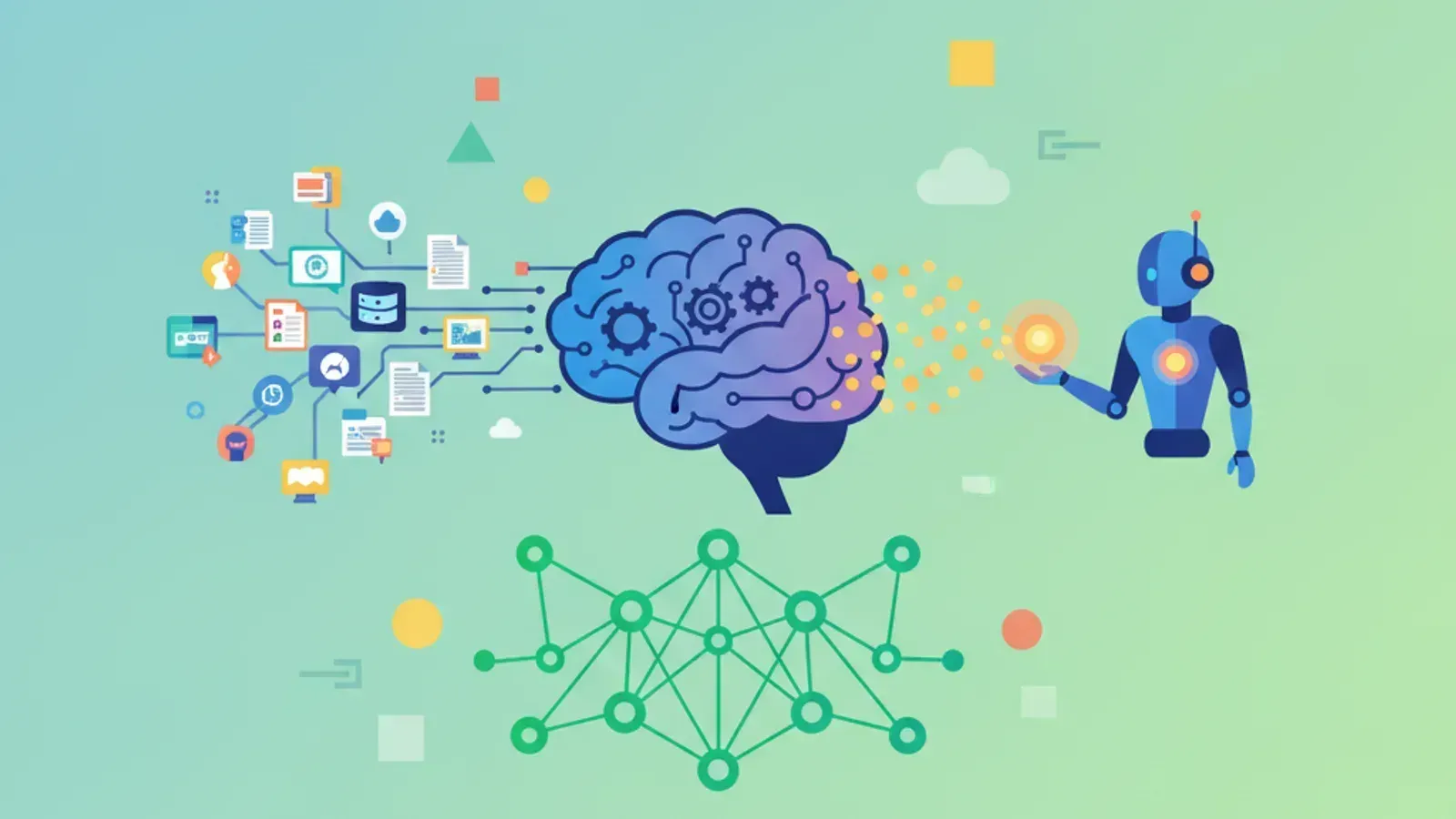
RAG explained: building AI that answers from your own data is a game-changer for many businesses. Large language models (LLMs) are incredibly powerful. They can generate text, summarize information, and even write code. However, they have limitations. They often lack up-to-date information, or more critically, they do not know anything about your private, proprietary data.
This is where Retrieval Augmented Generation (RAG) steps in. RAG bridges the gap between general LLM knowledge and your specific information. It allows an AI to consult your custom knowledge base before generating an answer. This means more accurate, relevant, and trustworthy responses every time.
Think of it this way: an LLM is a brilliant, well-read generalist. RAG gives that generalist access to your company's highly specialized library. It ensures the AI always speaks with the most relevant context. Our goal at Kraavon is to help teams build premium digital products. Understanding RAG is key to deploying truly intelligent, context-aware AI solutions. Let us walk through how it works, step by step.
What is RAG and Why Does it Matter?
RAG, or Retrieval Augmented Generation, is a framework designed to enhance the capabilities of large language models. It combines the strengths of information retrieval systems with the generative power of LLMs. This hybrid approach allows AI to provide answers that are both creative and factually grounded in specific data.
Without RAG, an LLM relies solely on its pre-trained knowledge. This knowledge is vast but static. It does not include new information that emerged after its last training cut-off. It also does not include any of your company's internal documents, customer support logs, or product specifications. This leads to common problems.
- Hallucination: LLMs might confidently make up facts when they do not have the right information.
- Outdated Information: Responses could be based on old data, leading to incorrect advice.
- Lack of Specificity: The AI cannot answer questions about your unique products, services, or internal processes.
RAG solves these issues by giving the LLM a real-time way to look up relevant information. When a user asks a question, the RAG system first retrieves pertinent documents or data snippets from your custom knowledge base. Then, it feeds this retrieved context along with the user's query to the LLM. The LLM then generates a response, using your data as its primary source of truth.
RAG significantly reduces the risk of AI hallucination. It grounds responses in actual, verifiable data, making your AI applications more reliable and trustworthy. This is crucial for business-critical applications.
The Core Components of a RAG System: How it Works
Building AI that answers from your own data with RAG involves a few distinct but interconnected steps. Understanding each component helps you design a robust and effective system. Let us break down the process into its main parts.
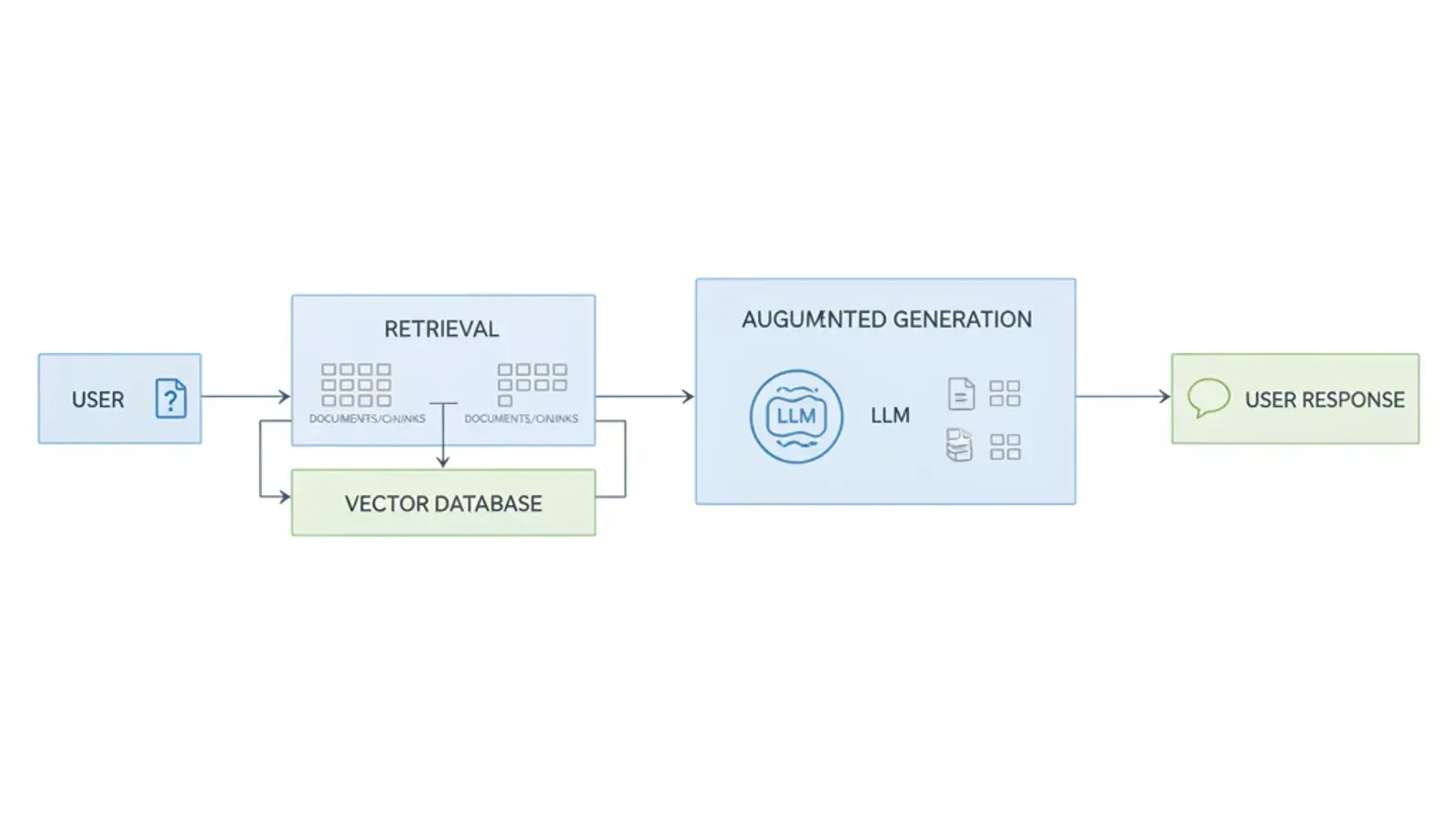
A visual overview of how RAG integrates retrieval with generation for more informed AI responses.
Step 1: Data Ingestion and Indexing
This is the foundational step. You start with your raw, unstructured data. This could be anything from PDF manuals, customer chat logs, internal wikis, or product specifications. The goal here is to prepare this data for efficient searching.
- Document Loading: First, load your data from its source. Libraries like
LangChainorLlamaIndexoffer document loaders for various formats (PDF, Word, TXT, HTML). - Text Splitting (Chunking): Large documents need to be broken down into smaller, manageable pieces called 'chunks'. This is crucial because LLMs have token limits. Small chunks also ensure that retrieved context is highly relevant. You might split by paragraph, sentence, or a fixed number of characters with overlap.
- Embedding Generation: Each text chunk is then converted into a numerical representation called an 'embedding'. Embeddings capture the semantic meaning of the text. Text chunks with similar meanings will have embeddings that are numerically close to each other. Popular embedding models include OpenAI's
text-embedding-ada-002or open-source models likesentence-transformers.
Once embeddings are generated, they are stored in a specialized database. This database is called a vector database or vector store. It is optimized for rapidly finding similar embeddings.
Step 2: Retrieval
When a user asks a question, the RAG system performs a retrieval operation. This is how it finds the most relevant information from your knowledge base.
- Query Embedding: The user's query is also converted into an embedding using the same model used for your document chunks. This ensures consistency in numerical representation.
- Vector Search: The query embedding is then used to perform a similarity search within the vector database. The database quickly identifies the top 'k' (e.g., 3 or 5) document chunks whose embeddings are most similar to the query embedding. These are the most relevant pieces of information.
- Context Assembly: The original text content of these top 'k' retrieved chunks is then extracted. This forms the 'context' for the LLM.
This step is the 'R' in RAG. It is about intelligently finding the needles in your data haystack that are most likely to help answer the user's question.
Step 3: Augmented Generation
This is where the LLM comes into play, but with a critical difference. Instead of just answering from its general knowledge, it is now 'augmented' with your specific data.
- Prompt Construction: The user's original query and the retrieved context chunks are combined into a single prompt. This prompt typically instructs the LLM to answer the question only using the provided context. For example: "Based on the following information, answer the question: [Retrieved Context] Question: [User Query]"
- LLM Inference: This combined prompt is sent to the LLM (e.g., GPT-4, Llama 2). The LLM processes the prompt and generates a coherent, context-aware answer.
- Response Output: The LLM's generated response is then presented to the user. Because it was grounded in your data, the answer is far more accurate and relevant to your specific domain.
This entire cycle completes the RAG process. It provides a powerful mechanism for building AI that answers from your own data effectively and reliably.
Building Your First RAG System: A Practical Guide
Ready to get hands-on? Let us walk through the practical steps to implement a basic RAG system. This guide focuses on open-source tools and accessible services, allowing you to follow along immediately.
Step 1: Gather Your Data
Identify the data you want your AI to learn from. Start small and expand later. This might include a few PDF documents, a markdown file of FAQs, or a collection of plain text files.
Example: Create a folder named knowledge_base with a few .txt files containing information about your imaginary product or service. For instance, product_info.txt might describe features, and faq.txt could list common questions and answers.
Step 2: Choose Your Tools
You will need a few key components. We will use LangChain for orchestration, a sentence-transformers model for embeddings (local and free), and ChromaDB as our local vector store. For the LLM, you can use OpenAI's API or a local open-source model if you prefer.
- Orchestration Framework:
LangChainorLlamaIndex(we will useLangChain). - Embedding Model:
HuggingFaceEmbeddingswith asentence-transformersmodel likeall-MiniLM-L6-v2. - Vector Database:
ChromaDB(simple, in-memory or local persistent store). - Large Language Model (LLM):
OpenAI's API (e.g.,gpt-3.5-turbo) or a local LLM likeOllama.
For initial experiments, using local models (like sentence-transformers) and local vector stores (ChromaDB in memory) is great. For production, consider managed services like OpenAI for LLMs, and Pinecone, Weaviate, or Qdrant for vector databases, which offer scalability and performance.
Step 3: Chunk and Embed Your Data
Install the necessary Python libraries first: pip install langchain openai chromadb sentence-transformers.
from langchaincommunity.documentloaders import TextLoader
from langchaintextsplitters import RecursiveCharacterTextSplitter
from langchaincommunity.embeddings import HuggingFaceEmbeddings

# 1. Load your documents
loader = TextLoader("knowledgebase/productinfo.txt") # Adapt for your files
documents = loader.load()

# 2. Split documents into chunks
textsplitter = RecursiveCharacterTextSplitter(
 chunksize=1000,
 chunkoverlap=200
)
chunks = textsplitter.splitdocuments(documents)

# 3. Initialize embedding model
# This model runs locally
embeddings = HuggingFaceEmbeddings(modelname="all-MiniLM-L6-v2")

print(f"Loaded {len(documents)} documents, split into {len(chunks)} chunks.")
print(f"First chunk example: {chunks[0].pagecontent[:150]}...")
This script loads a text file, splits it into chunks, and prepares the embedding model. Adjust the chunk_size and chunk_overlap based on your data and how you expect questions to be structured. Smaller chunks are more precise but might lose context.
Step 4: Store Embeddings in a Vector Database
Now, we will take our generated chunks and their embeddings and store them in ChromaDB. This makes them searchable.
from langchaincommunity.vectorstores import Chroma

# Create a Chroma vector store from the chunks and embeddings
# This will store the data locally in a directory named 'chromadb'
vectorstore = Chroma.fromdocuments(
 documents=chunks,
 embedding=embeddings,
 persistdirectory="./chroma_db"
)

# Persist the database to disk
vectorstore.persist()
print("Vector database created and persisted.")
This step creates a persistent chroma_db directory in your project. You only need to run this ingestion process once, or whenever your source data changes.
Step 5: Implement the Retrieval Logic
Once your vector store is populated, you can start retrieving relevant information based on a user's query.
from langchaincommunity.vectorstores import Chroma
from langchaincommunity.embeddings import HuggingFaceEmbeddings

# Load the persisted vector store
embeddings = HuggingFaceEmbeddings(modelname="all-MiniLM-L6-v2")
vectorstore = Chroma(persistdirectory="./chromadb", embeddingfunction=embeddings)

# Create a retriever
retriever = vectorstore.asretriever(searchkwargs={"k": 3}) # Retrieve top 3 results

query = "What are the key features of your product?"
relevantdocs = retriever.invoke(query)

print(f"Found {len(relevantdocs)} relevant documents for the query: '{query}'")
for i, doc in enumerate(relevantdocs):
 print(f"--- Document {i+1} ---")
 print(doc.pagecontent[:200], "...")
The retriever.invoke(query) command performs the embedding of your query, searches the vector database, and returns the most relevant chunks. You can adjust k to retrieve more or fewer documents based on your needs.
Step 6: Integrate with an LLM for Generation
Now, combine the retrieved documents with an LLM to generate the final answer. We will use OpenAI here, so you will need to set your OPENAI_API_KEY environment variable.
import os
from langchainopenai import ChatOpenAI
from langchain.chains import createretrievalchain
from langchain.chains.combinedocuments import createstuffdocumentschain
from langchaincore.prompts import ChatPromptTemplate

# Initialize the LLM (ensure OPENAIAPIKEY is set in your environment)
llm = ChatOpenAI(model="gpt-3.5-turbo", temperature=0.1)

# Define the prompt template for the LLM
prompt = ChatPromptTemplate.frommessages([
 ("system", "You are a helpful assistant. Answer the user's questions based ONLY on the provided context."),
 ("user", "Context: {context}\n\nQuestion: {input}")
])

# Create a chain to combine the retrieved documents and prompt the LLM
documentchain = createstuffdocumentschain(llm, prompt)

# Create the full retrieval-augmented generation chain
retrievalchain = createretrievalchain(retriever, documentchain)

# Invoke the RAG chain with your query
response = retrievalchain.invoke({"input": query})

print("\n--- AI Generated Answer ---")
print(response["answer"])

# You can also see the retrieved context:
# print("\n--- Retrieved Context (for debugging) ---")
# for doc in response["context"]:
# print(doc.page_content[:200], "...")
This code sets up a complete RAG chain. It handles retrieving documents and passing them to the LLM with a clear instruction to use only the provided context. This is the heart of building AI that answers from your own data.
Step 7: Iterate and Refine
Your first RAG system is a starting point. Continuously evaluate its performance. Are the answers accurate? Is the retrieved context relevant? Adjust your chunking strategy, experiment with different embedding models, or fine-tune your prompts to improve results. User feedback is invaluable here.

Refining your RAG system is an iterative process, involving continuous evaluation and adjustments.
Beyond the Basics: Advanced RAG Techniques
Once you have a functional RAG system, you can explore advanced techniques to further enhance its capabilities. These methods address more complex scenarios and aim for even higher accuracy and relevance.
- Query Understanding and Expansion: Instead of just embedding the raw user query, you can first use an LLM to rewrite, rephrase, or expand the query. This can lead to better retrieval results by capturing more intent.
- Context Re-ranking: After retrieving the initial set of documents, you can use a separate re-ranking model (often a smaller, specialized LLM) to score and reorder the retrieved chunks. This ensures the most pertinent information is at the top of the context given to the generative LLM.
- Hybrid Search: Combine keyword-based search (like traditional search engines) with vector similarity search. This can be powerful for queries that benefit from both exact keyword matches and semantic understanding.
- Multi-hop Reasoning: For complex questions requiring information from multiple disparate documents, implement a system that can perform several retrieval steps, chaining information together to form a comprehensive context.
- Multi-modal RAG: Extend RAG beyond text to include other data types, such as images, audio, or video. You would use multi-modal embeddings to represent these different data forms in your vector store.
- Agentic RAG: Integrate RAG into an AI agent framework. The agent can decide whether to use RAG, other tools, or its internal knowledge to answer a query. This allows for more dynamic and intelligent decision-making.
These advanced techniques can significantly elevate the intelligence and utility of your AI applications. They require more sophisticated engineering and careful design. If you are looking to build a truly premium product with these capabilities, our team at Kraavon specializes in complex [AI engineering solutions](/engineering). We can help you navigate these advanced implementations.

Advanced RAG techniques unlock even greater precision and intelligence in AI systems.
RAG is a fundamental pattern for building AI that answers from your own data in a reliable and contextually relevant way. It transforms generic LLMs into domain-specific experts. By following these practical steps, you can start leveraging the power of RAG to create more intelligent, trustworthy, and valuable AI products for your users. The potential for innovation is immense, from enhanced customer support to internal knowledge management and beyond. We believe this approach is central to shipping truly impactful AI.
Our team at Kraavon partners with product teams to design and engineer premium digital products. If you are looking to integrate advanced AI capabilities like RAG into your next product, we are here to help.